Short-lived upload authorization
WordPress creates a time-limited signed upload authorization instead of receiving the full file payload.
Direct cloud uploads for WordPress forms
EdgeUpload turns supported form file fields into browser-to-cloud upload fields. Visitors send files directly to your own object storage, while the final cloud URL travels with the familiar form submission.
A shorter data path
EdgeUpload asks WordPress for a short-lived upload signature. The browser uses it to upload to your configured bucket, then submits the resulting file URL through your existing form plugin.
WordPress creates a time-limited signed upload authorization instead of receiving the full file payload.
The file moves directly from the visitor’s browser to storage you configure and control.
Your form plugin continues handling layout, validation, notifications, and entries with the final file URL.
Works alongside your stack
EdgeUpload focuses on the upload path. It does not replace your form builder.
 Elementor Forms
 Contact Form 7
 WPForms
 Gravity Forms
 Ninja Forms
 Fluent Forms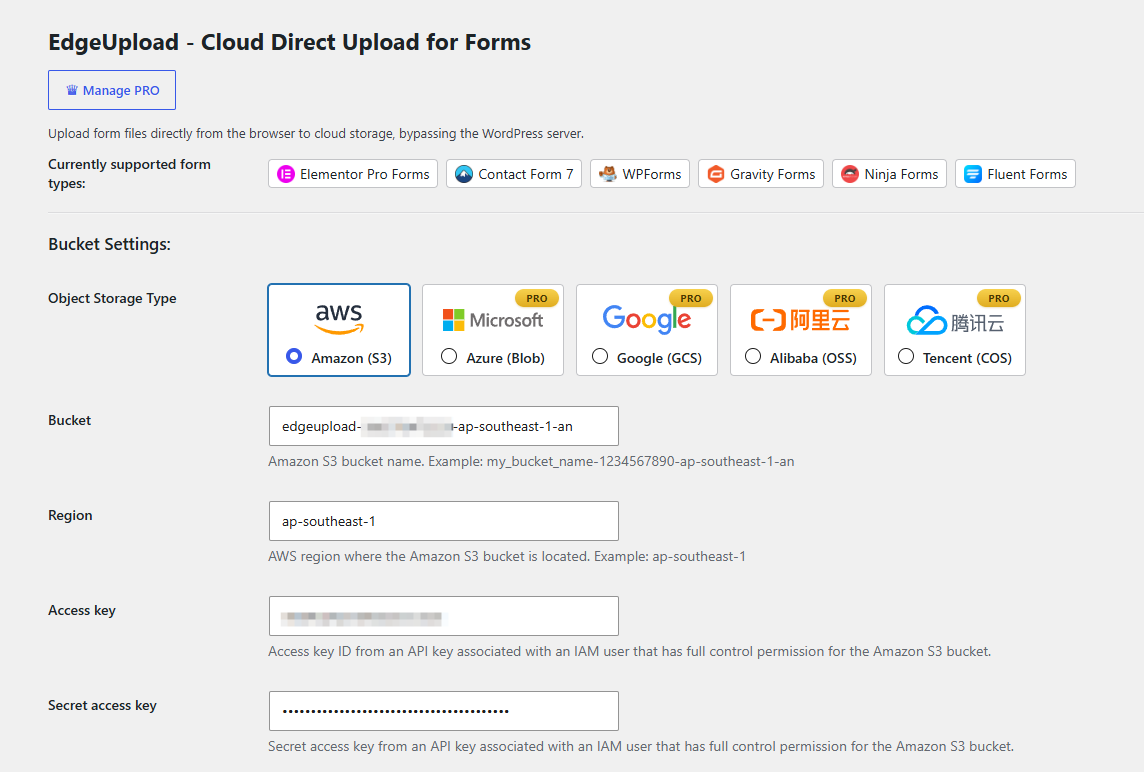
One focused control panel
Storage providers
Connect EdgeUpload to Amazon S3, Tencent Cloud COS, Alibaba Cloud OSS, Azure Blob Storage, or Google Cloud Storage—with CDN URL rewriting and flexible upload controls.
 Amazon S3
 Tencent COS
 Alibaba OSS
 Azure Blob
 Google Cloud Storage
Setup
Your bucket must allow browser uploads from the WordPress site origin. EdgeUpload includes tests to help verify both the storage connection and CORS path.
Install EdgeUpload from WordPress.org and activate it.
Select a provider and save your bucket credentials.
Run the connection and browser CORS tests.
Use a supported form and submit a cloud-hosted upload.
Built for file-heavy forms
Direct uploads can keep large file traffic away from PHP upload limits, temporary server storage, and oversized form requests.
Documents and screenshots
Project files and references
Résumés and portfolios
Logs and diagnostics
Intake and membership files
Common questions
No. Files upload from the visitor’s browser directly to your configured cloud storage bucket. The resulting cloud URL is passed with the form submission.
EdgeUpload supports Amazon S3, Tencent Cloud COS, Alibaba Cloud OSS, Azure Blob Storage, and Google Cloud Storage.
Yes. Your bucket must allow browser uploads from your WordPress site origin. EdgeUpload includes a CORS test to help verify the configuration.
No. Your form plugin continues to handle the form layout, validation, notifications, and entries. EdgeUpload changes the file upload route.
Yes. You can optionally target specific form IDs; otherwise it can handle supported file fields across compatible plugins.
Install EdgeUpload from the official WordPress Plugin Directory and connect your cloud storage.